

Choosing the right Managed Network Switch is not simply a matter of counting ports. Global buyers must balance performance, security, reliability, support, and total ownership costs. A switch that excels in a European office may disappoint in a warehouse, hotel, or branch network elsewhere. Regional power standards, warranty coverage, cloud management, and local technical assistance also deserve close attention.
This guide evaluates ten leading options through practical criteria. These include VLAN control, PoE capacity, Layer 3 features, redundancy, monitoring tools, noise levels, and configuration difficulty. Real-world details matter. A 48-port switch may fit a server room, yet its fan noise could frustrate a small office. A compact model may save space, but limited uplink speed can create congestion later.
Networking authority Andrew S. Tanenbaum once said, “The nice thing about standards is that you have so many to choose from.” That observation remains useful here. Standards improve compatibility, but they do not guarantee a perfect deployment. No ranking can serve every country or business equally. I may favor models with stronger documentation, even when cheaper alternatives appear attractive. That choice deserves scrutiny.
Readers will find comparisons based on technical capability, business practicality, and long-term manageability. The selection considers established vendors and promising alternatives, without treating brand reputation as proof of quality. Firmware support can change. Pricing can shift. Local availability can disappoint. Use this list as a careful starting point, then confirm specifications with the manufacturer before purchasing.
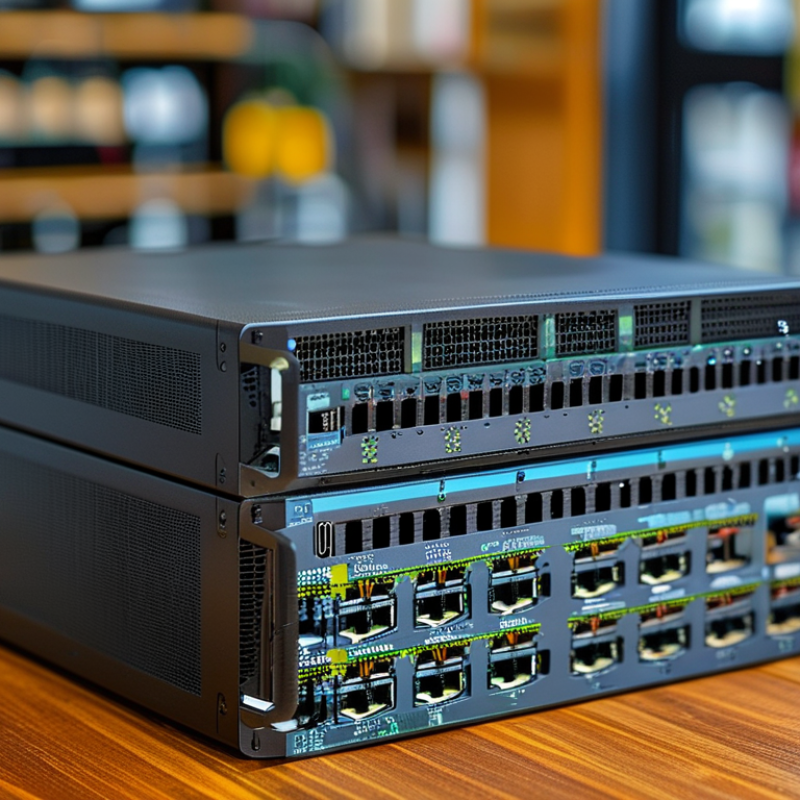
A managed network switch is more than a box that connects cables. It lets administrators control traffic, separate departments, and monitor network performance. Through a web interface or command line, teams can create VLANs, prioritize voice traffic, and detect unusual activity. In real deployments, these controls reduce troubleshooting time. A blinking port is no longer the only clue.
Global buyers need this control because networks rarely stay simple. Offices may span several countries, warehouses, and remote sites. A managed switch can support consistent configurations across different locations. It can also provide redundancy when one connection fails. However, features vary widely. A powerful switch may still disappoint if its software feels confusing or regional support is weak. I have seen installations delayed by small issues, such as unsuitable power standards or missing management documentation.
Tips: Check port speed, power requirements, operating temperature, and warranty coverage before purchase. Confirm support for VLANs, quality of service, link aggregation, and secure remote administration. Ask whether the device fits local electrical rules and data protection expectations. Test the management interface with a small deployment first. Do not assume every listed feature works equally well in daily operations. A short trial can expose weak alerts, limited logs, or awkward updates.
A high-quality managed network switch is more than a port count. It should support VLAN segmentation, link aggregation, IPv6, QoS, and secure administrative access. IEEE 802.1Q VLAN support separates cameras, voice devices, guests, and business systems without extra cabling. That matters in offices where one crowded rack serves several departments. Look for 802.1X authentication, role-based access, and detailed event logs. The 2024 Data Breach Investigations Report recorded a 180% rise in vulnerability exploitation, making basic access controls difficult to ignore.
Reliability also depends on visibility. A switch should provide SNMP, streaming telemetry, loop protection, and alerts for failed links or rising temperatures. Redundant power options and rapid spanning-tree recovery can limit disruption. The 2023 Global Data Center Survey found that 60% of respondents experienced an outage within three years. A five-minute failure still feels long when payment terminals stop responding. For international deployments, check voltage input ranges, regulatory documentation, language support, and warranty handling across regions.
PoE planning deserves careful attention. Confirm the total wattage budget, not only the maximum output per port. Newer access points may consume more during startup than their average rating suggests. I still distrust dashboards that show green icons while a cable quietly negotiates at 100 Mbps. Testing firmware updates, backup configuration, and recovery procedures before installation is less exciting, but more reliable. The best specification can still fail when monitoring, staff training, or spare hardware is overlooked.
How to Compare the 10 Best Managed Network Switches
Comparing ten managed network switches requires more than checking port counts. Begin with your actual layout, including desks, cameras, wireless access points, and uplink distances. A 24-port model may appear sufficient, but future expansion can quickly consume its spare capacity. Check switching capacity, forwarding rate, buffer memory, and uplink speed together. These figures reveal whether the switch can handle busy traffic without noticeable delay.
Management features often separate a dependable switch from an attractive specification sheet. Look for VLAN support, access control lists, quality-of-service settings, link aggregation, and loop prevention. IPv6 readiness and clear monitoring tools also matter for global deployments. Review the interface before buying. A powerful feature is less useful when configuration screens are confusing. Confirm regional power requirements, safety documentation, firmware support, and warranty terms. These details affect long-term reliability more than a small discount.
Tips: Compare each switch using the same checklist. Record port type, PoE budget, uplink capacity, noise level, power use, and management method. Test a sample under realistic traffic if possible. Manufacturer claims can be accurate but incomplete. A higher capacity rating does not guarantee better performance in every network. I would also leave room for mistakes, such as unexpected devices or poorly planned cable runs. Independent test data, detailed manuals, and responsive technical support provide stronger evidence than marketing language alone.
Choosing among the 10 best managed network switches depends on location and network scale. A switch that performs well in a London office may not suit a warehouse in Nairobi or a hotel in Tokyo. Country-specific power standards, plug types, operating temperatures, and certification requirements deserve careful checking. Local warranty support also matters. A low purchase price can become expensive when replacement parts cross borders.
For small offices, eight or sixteen ports may be enough, especially with a few wireless access points and cameras. Growing businesses may need twenty-four or forty-eight ports, plus faster uplinks for servers and storage. Check the real PoE budget, not only the number of PoE ports. Some devices use more power during startup. VLAN support, access control, traffic monitoring, and firmware updates improve reliability. Local management is often simpler, while cloud management can help teams oversee distant sites. Neither option is perfect.
Tips: Match the switch to two-year growth, not today’s device count. Leave spare ports and uplink capacity. Confirm voltage compatibility before ordering. Ask whether the warranty applies in your country. For dusty or hot locations, review cooling design and installation limits. Fan noise can matter in classrooms and small offices. I have seen buyers overlook this detail. It later became the main complaint. Also, test the management interface before full deployment. A powerful feature is less useful when staff cannot operate it confidently.
| Profile | Recommended Network Size | Typical Deployment | Access Ports | Port Speed | PoE Capability | Uplink Configuration | Switching Capacity | Management Features | Layer 3 Features | Power Input | Best-Fit Country or Region Factors | Key Buying Consideration |
|---|---|---|---|---|---|---|---|---|---|---|---|---|
| Profile 1 Compact Smart Switch | Small offices and home offices Up to 15 endpoints | Workstations, printers, wireless access points and IP phones | 8 × RJ45 | 10/100/1000 Mbps | Optional PoE+ Up to 120 W | 2 × 1 GbE SFP | 20 Gbps | Web interface, VLAN, QoS, link aggregation, loop prevention and port mirroring | Static routing only or none | 100–240 V AC external adapter | Suitable for countries with limited rack space, small offices and low-density cabling | Fanless operation, compact dimensions and low energy consumption |
| Profile 2 Entry-Level PoE Switch | Small businesses Up to 25 endpoints | IP phones, cameras, access points and desktop computers | 16 × RJ45 | 10/100/1000 Mbps | PoE+ Up to 180 W | 2 × 1 GbE SFP | 36 Gbps | 802.1Q VLAN, QoS, STP/RSTP, LACP, DHCP snooping and IGMP snooping | IPv4 static routing on selected configurations | 100–240 V AC, internal power supply | Practical for mixed office and surveillance deployments in Europe, Asia-Pacific and Latin America | Confirm the total PoE budget rather than counting only the number of PoE ports |
| Profile 3 24-Port Office Switch | Small and medium-sized businesses Up to 45 endpoints | Departmental networks, VoIP and standard Wi-Fi infrastructure | 24 × RJ45 | 10/100/1000 Mbps | PoE+ Up to 370 W | 4 × 1 GbE SFP | 56 Gbps | 802.1X, VLAN, QoS, RSTP/MSTP, LACP, ACL, SNMP and traffic monitoring | Static IPv4 routing; limited inter-VLAN routing | 100–240 V AC | Good general-purpose choice where copper cabling is dominant and fiber uplinks are required | Choose 370 W PoE when cameras, phones and wireless access points operate simultaneously |
| Profile 4 24-Port Multi-Gigabit Switch | Growing offices and high-speed workgroups Up to 50 endpoints | Wi-Fi 6/6E access points, video production and high-throughput storage | 24 × RJ45 | 1/2.5/5/10 GbE depending on port type | PoE++ available Up to 720 W | 4 × 10 GbE SFP+ | 128 Gbps or higher | Centralized management, VLAN, QoS, 802.1X, ACL, multicast control and network diagnostics | Static routing; selected models support basic dynamic routing | 100–240 V AC | Useful in markets where Wi-Fi 6/6E adoption and multi-gigabit broadband are increasing | Verify cable compatibility: Cat 5e may support some multi-gigabit rates, while 10 GbE commonly requires Cat 6A |
| Profile 5 48-Port Enterprise Access Switch | Medium-sized businesses 50–150 endpoints | Office floors, schools, hotels and branch aggregation | 48 × RJ45 | 10/100/1000 Mbps | PoE+ Up to 740 W | 4 × 10 GbE SFP+ | 176 Gbps | 802.1X, role-based access, ACL, QoS, STP, LACP, SNMPv3 and redundant configuration options | Inter-VLAN routing and static routing | 100–240 V AC; optional redundant power on selected designs | Well suited to larger offices and education or hospitality sites with many powered endpoints | Check rack depth, airflow direction and local electrical standards before ordering |
| Profile 6 10 GbE Aggregation Switch | Medium and large networks 150–300 endpoints | Server rooms, campus aggregation and high-speed backbone links | 8 × 10 GbE SFP+ | 10 GbE fiber or direct-attach copper | No PoE | Additional 10 GbE or 25 GbE uplinks | 160 Gbps or higher | VLAN, MLAG or stacking on selected designs, QoS, ACL, telemetry and SNMP | IPv4/IPv6 static routing; dynamic routing on advanced configurations | 100–240 V AC; redundant power often available | Appropriate for regions with fiber-rich campuses, data rooms and long-distance building links | Compare transceiver compatibility, fiber type, connector type and maximum link distance |
| Profile 7 Layer 3 Campus Switch | Large offices, campuses and multi-floor buildings 300–600 endpoints | Core or distribution layer with multiple access switches | 24 or 48 × 1 GbE RJ45 | 1 GbE access ports | PoE+ optional Up to 740 W | 4–8 × 10 GbE SFP+ | 176–216 Gbps | Stacking, 802.1X, ACL, QoS, DHCP protection, multicast and centralized monitoring | OSPF, IPv4/IPv6 routing, VRRP or equivalent gateway redundancy | 100–240 V AC; redundant power recommended | Strong fit for campuses where resilient inter-VLAN routing and high availability are required | Prioritize stacking bandwidth, gateway failover and software licensing terms |
| Profile 8 Industrial Managed Switch | Industrial sites and remote facilities Up to 100 endpoints | Manufacturing lines, transport systems, utilities and outdoor cabinets | 8–16 × RJ45 | 10/100/1000 Mbps | PoE+ optional Up to 240 W | 2–4 × 1/10 GbE fiber uplinks | 20–76 Gbps | VLAN, QoS, ring redundancy, SNMP, event alerts and industrial protocol support on selected models | Static routing; basic Layer 3 support on advanced units | 12/24/48 V DC; dual-input options common | Designed for temperature variation, vibration, dust and unstable power conditions | Check operating temperature, enclosure rating, DIN-rail mounting and surge protection |
| Profile 9 Cloud-Managed Branch Switch | Distributed businesses 5–50 sites | Retail branches, clinics, franchise locations and remote offices | 24 × RJ45 | 10/100/1000 Mbps | PoE+ Up to 370 W | 2–4 × 1/10 GbE fiber or copper uplinks | 56–128 Gbps | Cloud provisioning, remote monitoring, templates, VLAN, QoS, alerts and firmware scheduling | Static routing; advanced routing may require a higher subscription tier | 100–240 V AC | Useful where local IT staff are limited and sites are geographically dispersed | Evaluate subscription costs, data residency, offline behavior and cloud service availability by country |
| Profile 10 High-Density Data Center Switch | Large enterprises and data centers 600+ endpoints | Server racks, virtualization clusters and spine-leaf networks | 48 × 10/25 GbE SFP28 | 10/25 GbE | No PoE | 6–8 × 40/100 GbE QSFP+/QSFP28 | 1.2 Tbps or higher | Automation APIs, telemetry, VXLAN/EVPN on selected designs, ACL, QoS and zero-touch provisioning | OSPF, BGP, ECMP, IPv4/IPv6 and data-center gateway functions | 100–240 V AC; hot-swappable redundant power and fans | Best for regions with high-density compute, cloud workloads and strict uptime requirements | Assess latency, buffer size, airflow direction, optics availability and automation compatibility |
Choosing among the 10 best managed network switches for global buyers requires more than port counts. Installation quality often decides future reliability. Before mounting, confirm power budgets, rack depth, airflow, and regional electrical requirements. Label every cable at both ends. Test copper and fiber links, then record results. A missed uplink setting can create an expensive, silent failure.
Security must be designed during installation, not added later. Use separate VLANs for staff, guests, cameras, and management traffic. Disable unused ports and require multi-factor authentication for administrator access. NIST guidance supports secure configuration, least privilege, logging, and timely patching. The Verizon 2024 Data Breach Investigations Report found vulnerability exploitation involved 14% of breaches, while the human element appeared in 68%. Strong controls still need trained operators. Technology alone is insufficient.
Management should include centralized monitoring, configuration backups, syslog collection, and alerts for unusual traffic or failing power supplies. Keep firmware records and test recovery files, not just create them. A practical maintenance schedule includes monthly reviews, quarterly access audits, and documented replacement planning. Spare units should match installed features and power requirements. I have seen teams overlook license dependencies and cable labeling. That mistake is avoidable. The Uptime Institute’s outage research repeatedly links operational failures with major business costs, so maintenance deserves budget protection. Perfection is unrealistic, but unmeasured maintenance is worse.


For those larger-sized parts, or smaller quantity runs, we have 2 independent powder coat booths and ovens. The quality, durability and affordability of today’s powder coating finishes make this the process of choice for world-class companies.
Powder coating advantages over other forms of coating are many. Materials used in the Powder coating process can be metals and non-metals that come in a multitude of thicknesses, textures, colors, etc. Another of Powder coating’s biggest advantages over conventional coatings is its ability to create finishes in many different textures. Powder Coating Booths allow us the ability to apply these advantages to large products.
Tri-State Fabricators runs a full-service conveyor line for painting. Wet painting can provide protection or decoration to many different part styles. From start to finish, every project is easier to undergo random and point-based inspection by our skilled painting team.
Advantages to our Wet Paint Line are these lines start with product prep and ends with a thorough inspection of a high quality finished product. Our ability to complete large and small projects with a superior finish and doing so in a timely and economical fashion. This passes along the savings in production to our customers. When powder coating ins not an option, our Wet Paint Line gets the job done right the first time.
When the parts get big and heavy we roll-out our custom paint racks and oversize booth. By utilizing our partnerships with all the major paint brands, we can match virtually any color with wet paint.
The advantages of having access to a Wet Paint Booth are many. Large projects of many different shapes can be loaded into the booth. The Wet Paint Booth offers an environment that is much more controlled than a typical parts painting operation.
Not only are they used because of their controlled environment, but they’re are also advantageous when it comes to applying paint to parts that are needed in industries that require specialty coatings such as medical, aerospace, etc.
Our military forces have some very high standards when it comes to the finish of their vehicles and equipment. From the first pre-treatment step to final coat, it takes a great deal of knowledge and experience to protect the men and women of our armed forces. They deserve only the best, and Tri-State Fabricators provides it.
All of our processes are closely monitored by our staff and management teams. Both of which are highly trained in the processes of metal fabrication and finishing. Tri-State Fabricators’ goal is to always fully satisfy each and every customer, including the military. We will always put a 110% into what we do.
Abrasive media blasting is an excellent way to remove old paint, rust, and increase the paint/powder adhesion. Glass beads produce a much smoother and brighter finish than angular abrasives; leaving the part clean yet without any dimensional change. Chemically inert and environmentally friendly, we can recycle our beads approximately 30 times; making them a more preferred method of metal cleaning or surface finishing.
Advantages to Glass Bead Blasting are many. Glass bead blast media is used when a project is needing rough surfaces need to become smooth for applications of coatings such as paint. It is typically used to clean paint and rust from a product surface without deforming the surface it is being used on. Overall, compared to many other blasting media, Glass Bead Blasting is a very economical choice and those savings are always passed on to our customers.
Tri-State Fabricators utilize a zinc phosphate wash to clean and etch the material to ensure the best paint adhesion possible. The unique design of our 3-stage wash system does the work like a 5-stage. From Cleaning and rinsing to conversion coating and post-treatment, Our Part Washing process is a complete service and works throughout the fabrication service and the finishing service.
Along with the previously mentioned benefits, Curing is a vital chemical reaction that leaves the product finish hard and relatively safe from mild abrasion and aggressive corrosion. This process can be done in more than one way; ambient air-dry or in curing ovens at temps that exceed 240°.
From fixing paint mistakes (someone else’s of course) to simply cleaning our paint line hooks, our burn-off oven is put to good use. After a quick burn-off, a little clean up, and a fresh coat of paint, your parts will look better than new.
Why does our Burn-Off Oven work so well? Because super heating the air around parts turns the materials into ashes. From paint and powder coatings to rubber and machining oils, high temps do the job without degrading the integrity of the part.
Masking is a vital part of producing high quality products. We have die-cut masking patterns to protect machined surfaces as well as a wide range of plugs and caps to protect threaded holes and bolts. We provide permanent and temporary masking.
Masking allows the selected sections of a product to be protected from a fabrication or finishing service. This can be with both chemicals when etching and tapes, paints when only finishing just a section of the product. Masking is great in aiding the customization process of a project.
Screen printing is a photographic process that transfers artwork onto a porous nylon screen which allows colored ink to flow through the screen and be deposited on an aluminum or plastic component. We can generally have just about any design created onto a screen for your parts.
Some of the advantages of Screen Printing are, brand recognition for your business displaying on your products, assembly instructions, product warnings/hazards, etc. Tri-State Fabricators produces Screen Printing of the highest quality so you know it’s durable.
Metal Finishing is the art of treating the exterior portion of product, often metal but can also be made of other materials, so that the surface is clean and free of any debris. Then the process of applying coats or either paint of powder coat takes place. This coating process improves the quality of the product in both appearance and resistance to wear and corrosion.
Tri-State Fabricators, Inc., understands that a project typically isn’t complete until a high-quality finish has been added to your product. This is why our painting and powder coating teams continuously inspect the products throughout the Metal Finishing process.